Item presets
Minecraft Recovery Compass Attribute Modifiers preset
Updated May 16, 2026
This preset article shows how to build a Minecraft Recovery Compass Attribute Modifiers preset in NBTForge. The workflow focuses on stat modifiers that can be copied without hand-building NBT for death recovery kits, waypoint rewards, and utility packs, then checks the generated output before the command or resource is saved for reuse.
Preset result
A reusable Give preset for stat modifiers that can be copied without hand-building NBT for death recovery kits, waypoint rewards, and utility packs.
Output
Give output
/give @p minecraft:recovery_compass[custom_name={text:"Minecraft Recovery Compass Attribute Modifiers preset",color:"gold",italic:false},lore=[{text:"Built in NBTForge",color:"gray",italic:false}],attribute_modifiers=[{id:"nbtforge:bonus",type:"minecraft:attack_damage",amount:3,operation:"add_value",slot:"mainhand"}]] 1Preset screenshot
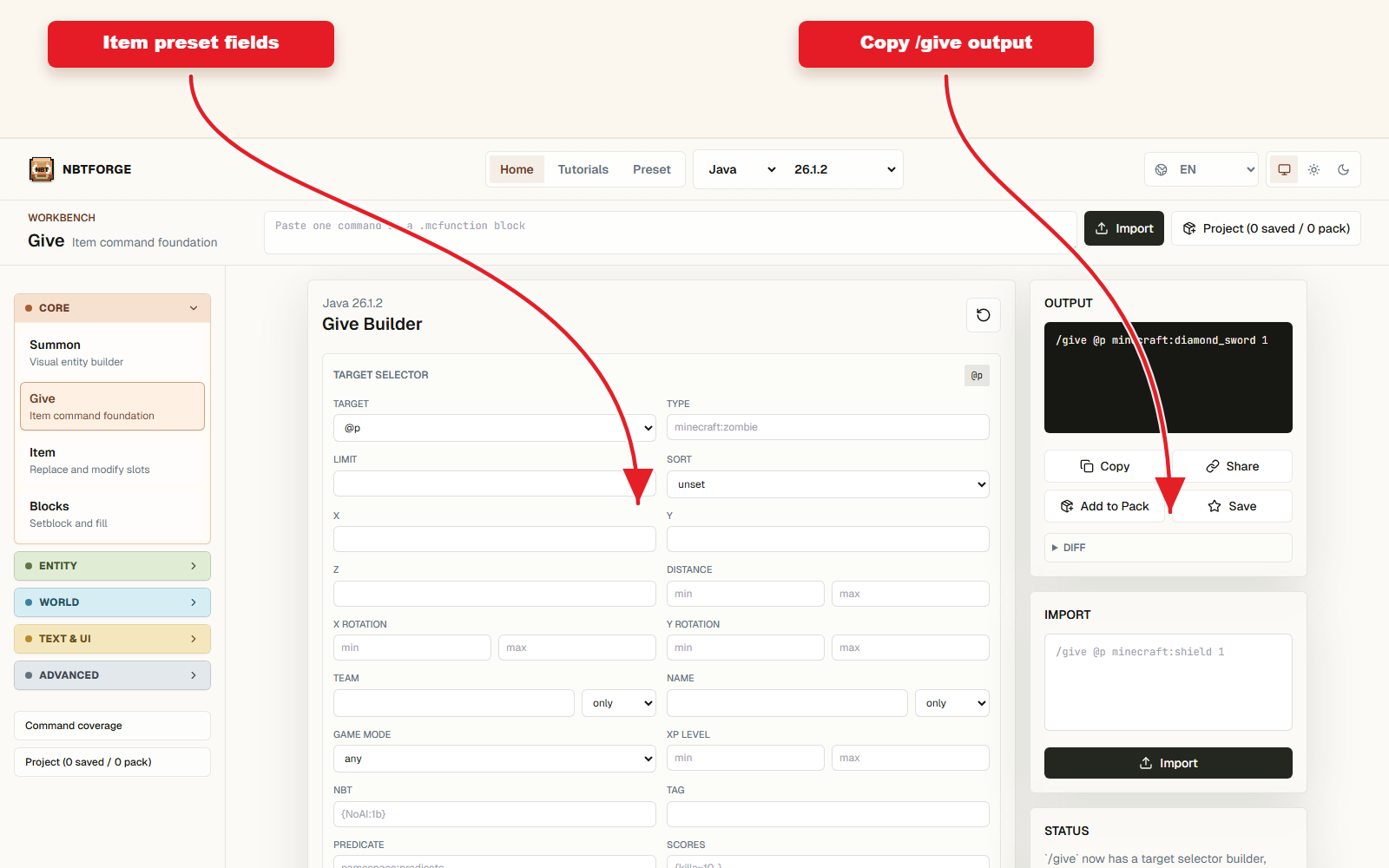
Build the preset
- Open the Give workbench from the Preset article or the top-level workbench.
- Set Edition and Version before editing detailed fields so the output family is correct.
- Configure the fields that matter for minecraft recovery compass attribute modifier give command: name, target, entity, item, effect, or resource data depending on the preset.
- Review the generated output and warnings before copying anything into Minecraft.
- Save the result to Project or Command Pack when the preset belongs to a larger setup.
Why this item presets article is useful
Minecraft Recovery Compass Attribute Modifiers preset is useful because it turns a repeatable Minecraft command idea into a visible NBTForge workflow. Instead of rebuilding the command from memory, the preset keeps the important settings close to the screenshot and output.
The main search intent is "minecraft recovery compass attribute modifier give command". The article should answer that intent quickly, then show the exact module and controls that produce the command or datapack resource.
Version and output checks
NBTForge output can change by Java version family, especially for item components, legacy item NBT, entity passengers, and Bedrock-safe commands.
Use the generated screenshot and the output panel together. The screenshot explains the controls, while the output is the command or JSON that should be copied or saved.
- Check Java or Bedrock before copying.
- Read warnings when the preset uses Java-only data.
- Use Project when the preset needs more than one command.
- Keep the screenshot updated whenever the UI workflow changes.
FAQ
Can I reuse this minecraft recovery compass attribute modifier give command preset in another command?
Yes. Save the generated Give output to Project or copy the relevant item, entity, or resource settings into another NBTForge workflow.
Does this preset work in every Minecraft version?
Not always. Check the selected Edition and Version first. Java item components, legacy NBT, Bedrock ride behavior, and datapack formats can use different syntax.
Open this workflow
Start from the related Give workbench, then adjust the preset fields for your world.